Pixelate effect
Applies a pixelated effect, making display objects appear 'blocky'.
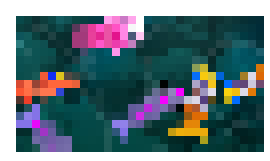
The Size setting controls how large the blocks are: the bigger the value, the coarser (more pixelated) the result. Animating this value with events is an easy way to make a pixelated dissolve or transition between scenes.
Note
For pixel-perfect or 8-bitgames, you can change the Scale mode options in your game properties instead of using this effect.
Reference
All effects are listed in the effects reference page.